

Introduction
Did you know that you can generate a QR code directly inside Microsoft Word without using any online tool?
Yes — this is a hidden feature that even many long-time users don’t know about. In this guide, I’ll show you a simple trick to create QR codes for links, text, or even long paragraphs — all within Word.
Step-by-Step: How to Create a QR Code in Microsoft Word
Follow these steps carefully:
- Open Microsoft Word
- Press Ctrl + F9 → This will insert field brackets
{ } - Inside the brackets, type: DISPLAYBARCODE “your text or link” QR q\3
- Replace
"your text or link"with:- A website URL (e.g., https://example.com)
- Or any text you want to encode
- Now press F9
👉 Your QR code will be generated instantly!
Example Command
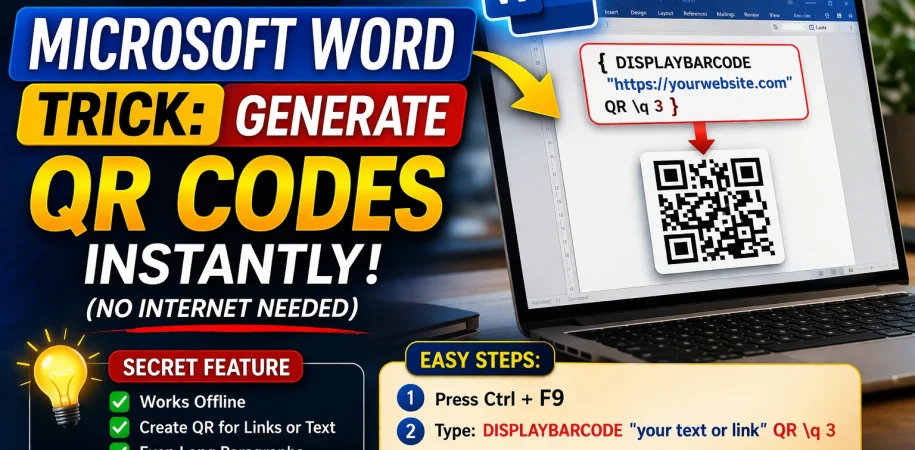
{ DISPLAYBARCODE "https://yourwebsite.com" QR q\3 }
After pressing F9, this will turn into a working QR code.
How It Works
This feature uses Word’s built-in field codes to generate barcodes and QR codes automatically.
- DISPLAYBARCODE → Command to create barcode
- QR → Specifies QR code format
- q\3 → Controls error correction level (better scan reliability)
Key Benefits of This Trick
✔ Works without internet
✔ Supports links, text, and long paragraphs
✔ No need for third-party tools or websites
✔ Perfect for documents, presentations, and print materials
Test Your QR Code
Once generated:
- Open your phone camera or QR scanner
- Scan the code
- It will instantly open your link or display your text
Why Most People Don’t Know This
Even users who have been using Microsoft Word for 10+ years often don’t know about this feature because:
- It’s not visible in the ribbon/menu
- It requires manual field code input
- It’s considered an advanced hidden feature
Final Thoughts
This simple yet powerful trick can save you time and make your documents more interactive. Whether you’re sharing links, contact details, or long text, QR codes can make access quick and easy.


